The dashboard gives you an overview of your Aerofiler account and lets you upload documents. The dashboard is displayed as the first screen you see after signing into Aerofiler.
The Dashboard is composed of 4 sections.
Basic Metrics
Basic Metrics
Located along the top of the page are some basic metrics about your Aerofiler account.
- Files - the total number of files stored (clicking this takes you to the Browse page).
- Inbox - the number of files in the Inbox (clicking this takes you to the Inbox page).
- Processing - after items are uploaded, they are processed in the background. This counter shows the number of files currently being processed. Files will not appear in the system until they have finished processing.
- Organization - the number of user accounts in your organization's account (clicking this takes you to the Organization Settings page)

File Upload
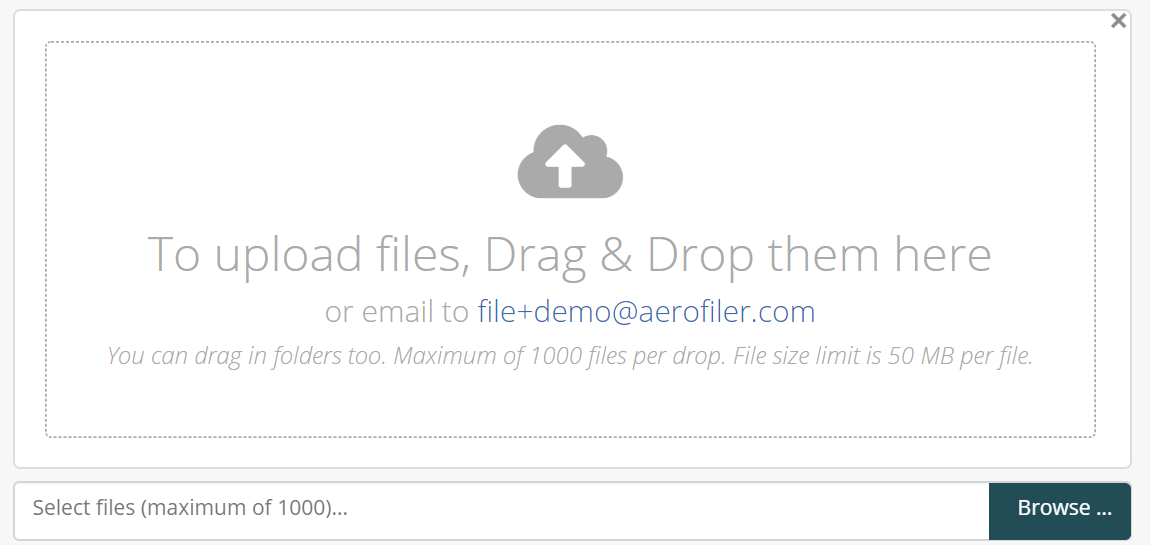
To upload files into Aerofiler, drag and drop the items into the marked box, or select them by clicking on "Browse". A thumbnail will appear for each file to be uploaded. You can also drag and drop in whole folders. Files will automatically start uploading as soon as they have been dragged into the window. Also displayed is your organization's email address that you can use to email documents into Aerofiler for processing.
Document Activity
This table shows the last several document-related activities logged on Aerofiler. Additional details are available in the right hand column, which can be viewed by clicking on "View details". To view the complete log of file activity, click on the "View All" link at the bottom of the table.
This table shows the last several document-related activities logged on Aerofiler. Additional details are available in the right hand column, which can be viewed by clicking on "View details". To view the complete log of file activity, click on the "View All" link at the bottom of the table.
Search Activity
This table shows the last several searches performed by this team on Aerofiler.
This table shows the last several searches performed by this team on Aerofiler.
Comments
0 comments
Please sign in to leave a comment.